For ChatGPT, Claude and any MCP agent
Your assistant writes the program. Noostaa runs the session.
Plan in chat. Train from your iPhone and Apple Watch with the sets, loads and rest in front of you. Every set you log goes back, so next week’s numbers are earned, not guessed.
iPhone + Apple Watch · 7 days free · then US$3/month in the US · €1/month equivalent elsewhere
Lower-body strength
Planned by Claude| Block | Exercise | Sets | Load | RPE | Rest |
|---|---|---|---|---|---|
| A | Goblet squat | 2 × 8 | — | 4 | 0:45 |
| B1 | Front squat | 4 × 6 | 60 kg | 7 | 2:00 |
| B2 | Romanian deadlift | 3 × 8 | 70 kg | 7 | 1:30 |
| C | Bulgarian split squat | 3 × 10 | 14 kg | 7 | 1:00 |
| D | Hip flexor stretch | 1:00 | — | — | — |
B1 · set 3 · 6 reps · 60 kg · RPE 8 Logged 09:52 · sent to Claude
Connect your assistant
Connect once. Then just ask for a session.
Noostaa works with any assistant that speaks MCP, and with the Noostaa CLI for custom agents. Sign in once and your assistant can send workouts and read how they went.
Connected
Assistant connected
Your assistant can now send workouts to Noostaa and receive feedback that helps improve future plans.
The plan changes when you do.
Noostaa sends every logged set back to your assistant. Your assistant decides what changes. Noostaa shows you what changed and why, before you load the bar.
| Exercise | Thu 17 Sep | You logged | Thu 24 Sep |
|---|---|---|---|
| Front squat | 4 × 6 · 57.5 kg | All sets done · RPE 7 | 4 × 6 · 60 kg+2.5 kg |
| Romanian deadlift | 3 × 8 · 70 kg | Set 3: 6 reps · RPE 9 | 3 × 8 · 70 kgHold |
| Bulgarian split squat | 3 × 10 · 14 kg | Skipped · left knee | Step-up 3 × 10 · 12 kgSwap |
ExampleClaude, planning Thursday: “You finished every front squat set at RPE 7, so the load goes up 2.5 kg. Your left knee flagged on split squats, so this week is step-ups instead.”
-
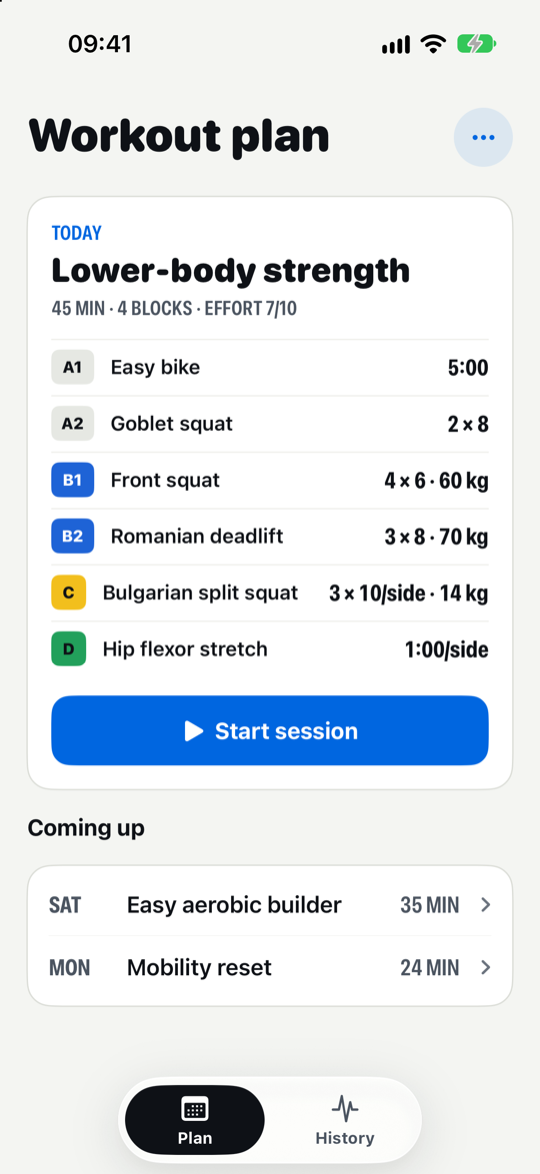
Today’s planThe session your assistant wrote, ready to start. -
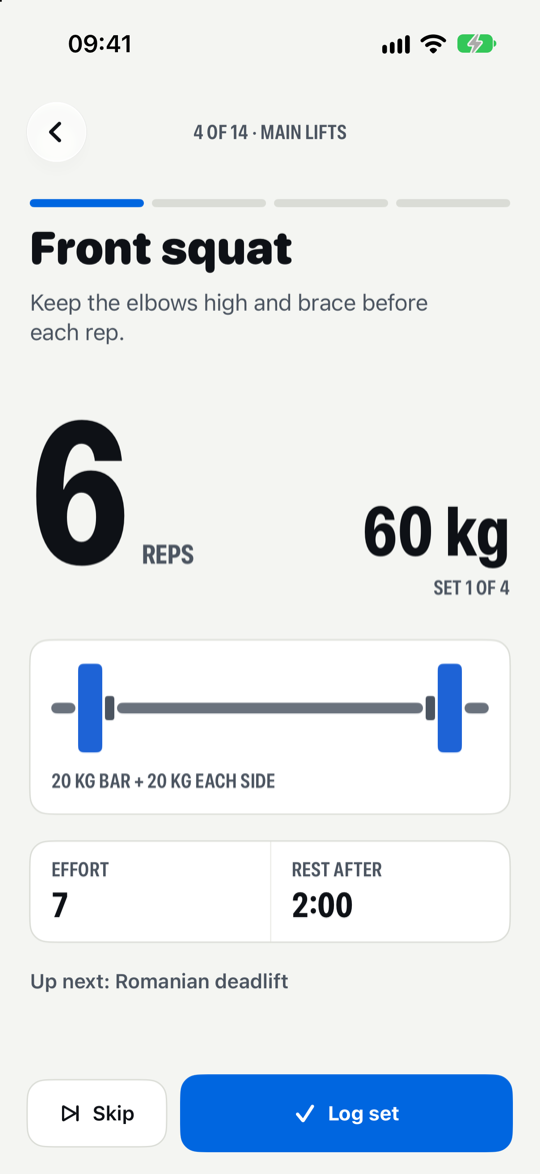
One set at a timeReps, load and the cue for this exercise. Nothing else. -
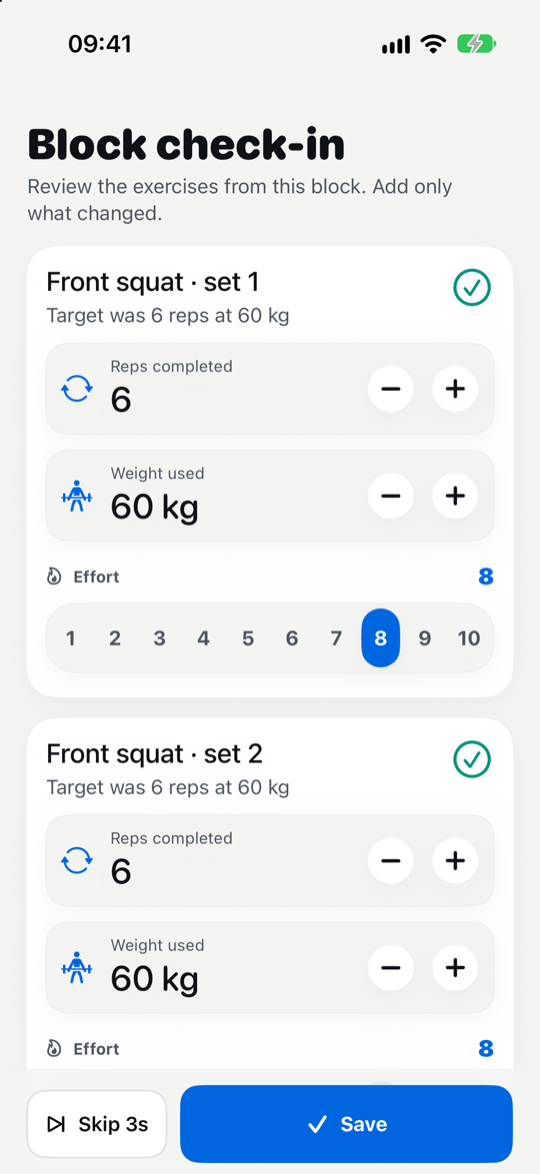
Log it in secondsReps, weight and effort, before the rest timer runs out.
iPhone + Apple Watch
Leave the phone on the bench.
Record the session on Apple Watch and see the current set and rest timer on your Lock Screen. Heart rate and duration sync to Apple Health.
- Current exercise and reps on your wrist
- Live Activity with a rest countdown
- Workouts saved to Apple Health
Noostaa Plus
One plan. Try it free for a week.
Noostaa sits alongside your AI assistant and doesn't replace it. Your assistant's plan, limits, and billing stay separate.
US$3per month in the US7 days free
- Sessions from your assistantWhatever it writes arrives on your phone as sets, loads and rest.
- Feedback for future plansEffort, changes, skips, and notes go back to your assistant.
- iPhone and Apple WatchFollow on iPhone and record with Apple Watch.
- Private by defaultYour training data stays in your Noostaa workspace.
€1/month equivalent outside the US. Local App Store prices vary by country and currency. The seven-day free trial is available to eligible new subscribers. Your subscription renews automatically at the price shown in the app unless you cancel in your App Store settings before the trial ends.
How Noostaa fits into your training
Does Noostaa replace my AI assistant?
No. Your assistant still helps with the thinking: goals, progress, and what to train next. Noostaa is where the workout goes when it is time to move.
Which assistants does Noostaa work with?
Noostaa is built for workouts planned with ChatGPT, Claude, or your own AI assistant. It can connect through MCP where supported, or through the Noostaa CLI for custom agent workflows.
Which devices does Noostaa support?
Noostaa supports iPhone for following workouts and Apple Watch for workout recording.
Do I need a paid AI assistant?
It depends on the assistant you use and how much you use it. Some assistants may require a paid plan, higher usage limits, or access to tool connections such as MCP.
Does Noostaa replace my AI subscription?
No. Noostaa is a complement to your AI assistant. Your assistant subscription, limits, and billing stay separate from Noostaa.
Is Noostaa free?
Eligible new subscribers can start with a seven-day free trial. The subscription renews automatically at the local monthly price shown in the app unless you cancel before the trial ends.
Why not just keep the workout in chat?
Chat is great for planning. Training needs a dedicated flow: clear steps, rest timing, quick notes, and feedback you can leave before you forget how the session felt.
What does Noostaa remember?
The useful training signals: what you completed, what you skipped, how hard it felt, and what should change so your assistant can plan better next time.
Your next workout is one message away.
Download Noostaa, connect your assistant, and train today's plan.

 On your computer?Scan to open Noostaa on your iPhone.